Can I change the products in my Custom URL after it is saved?
Yes – products in your Custom URL can be changed, as follows:
- Click “Custom URL” under the “Assign” tab. (Screen 1)
- Select the desired Custom URL by clicking “View” next to the URL. (Screen 2)
- Click the “Products” tab. (Screen 3)
- Select or remove the desired products. (Screen 4)
- Scroll down and click “Save.” The products in the Custom URL have been updated! (Screen 5)
NOTE: The following subscription levels have access to the “Custom URL” feature:
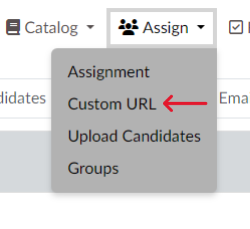
Screen 1

Screen 2
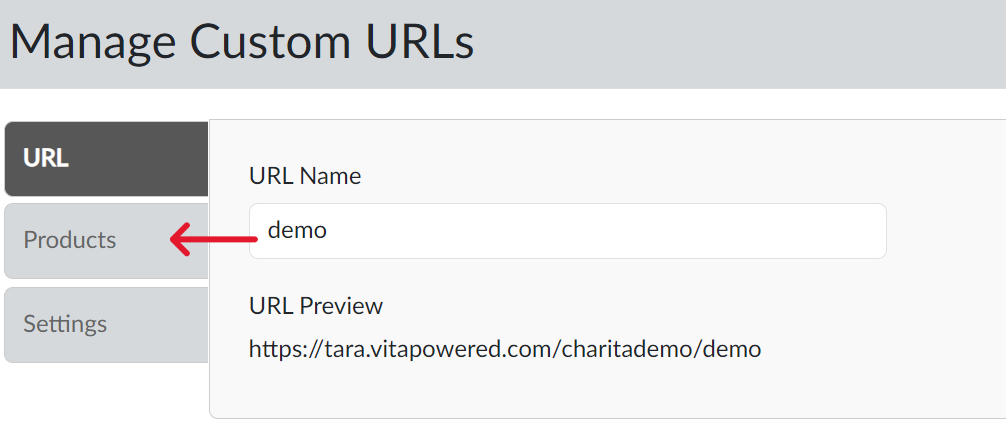
Screen 3
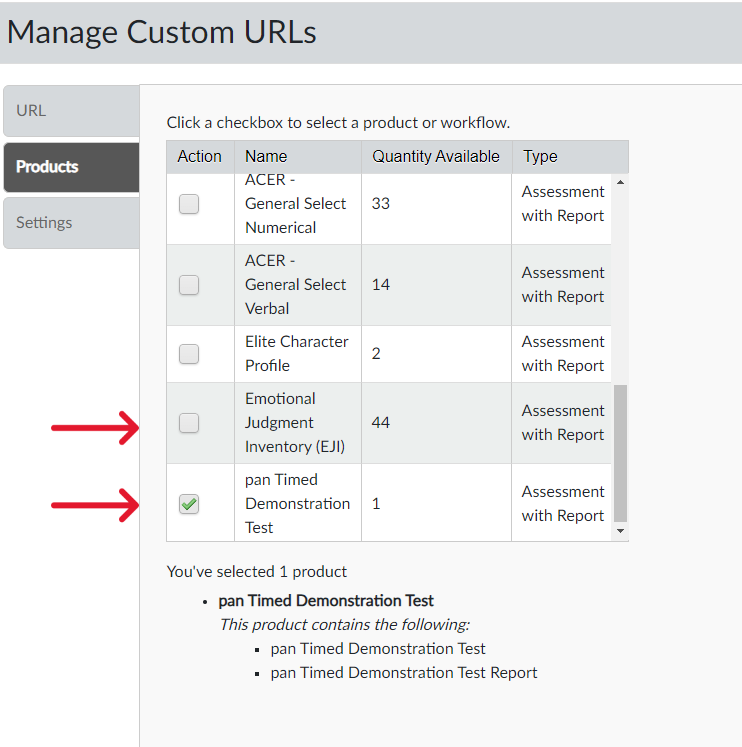
Screen 4
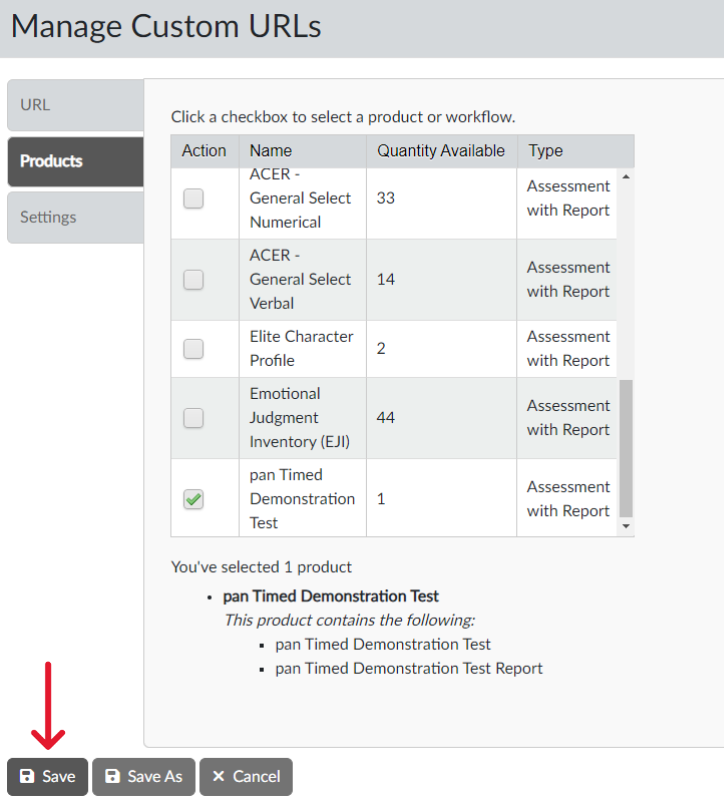
Screen 5