How do I share my Custom URL with candidates?
To share your Custom URL with candidates:
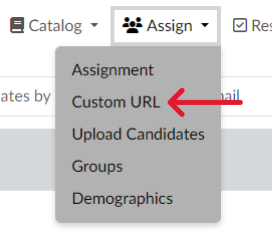
- Click “Custom URL” under the “Assign” tab. (Screen 1)
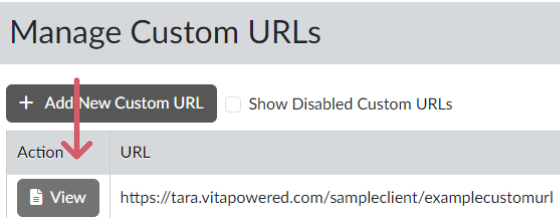
- Click “View” next to the desired URL (Screen 2)
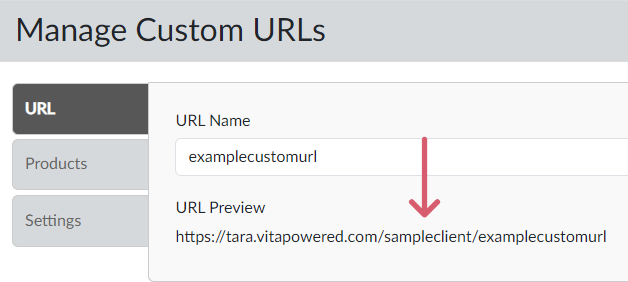
- Copy the contents of the “URL Preview” field (Screen 3)
- Paste the URL in your communication to the people who are to complete the assessment(s) or workflow(s).
- For quick and easy access to your Custom URL:
- Save the Custom URL link in “Favorites” on your computer, or
- Save the Custom URL as an Icon on your Desktop.
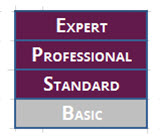
NOTE: The following subscription levels have access to the “Custom URL” feature: