Who is allowed to login to my Administrator portal?
To view who can login to your Administrator portal:
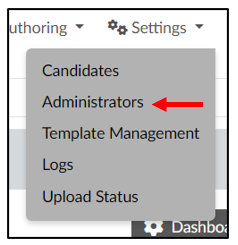
- Click “Administrators” under the “Settings” icon (3 wheels). (Screen 1)
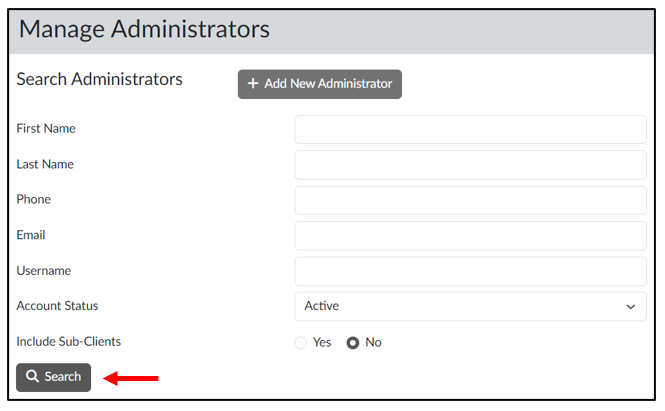
- Scroll down and click the blue “Search” button. (Screen 2)
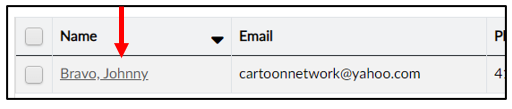
- The Administrators who have access to your portal will be listed at the bottom of the screen. (Screen 3)
- To view information on a particular Administrator:
- Click on the person’s name in the Search results (Screen 3), or
- Enter the First Name and Last Name or Email Address under “Manage Administrators” and click “Search.” (Screen 2)